July 10, 2026 • Kwame Osei-Bonsu • 11 min reading time • Prices verified June 18, 2026
Apple HomeKit and Matter Contact Sensors: Aqara Zigbee vs. Eve Matter for Smart Home Builders
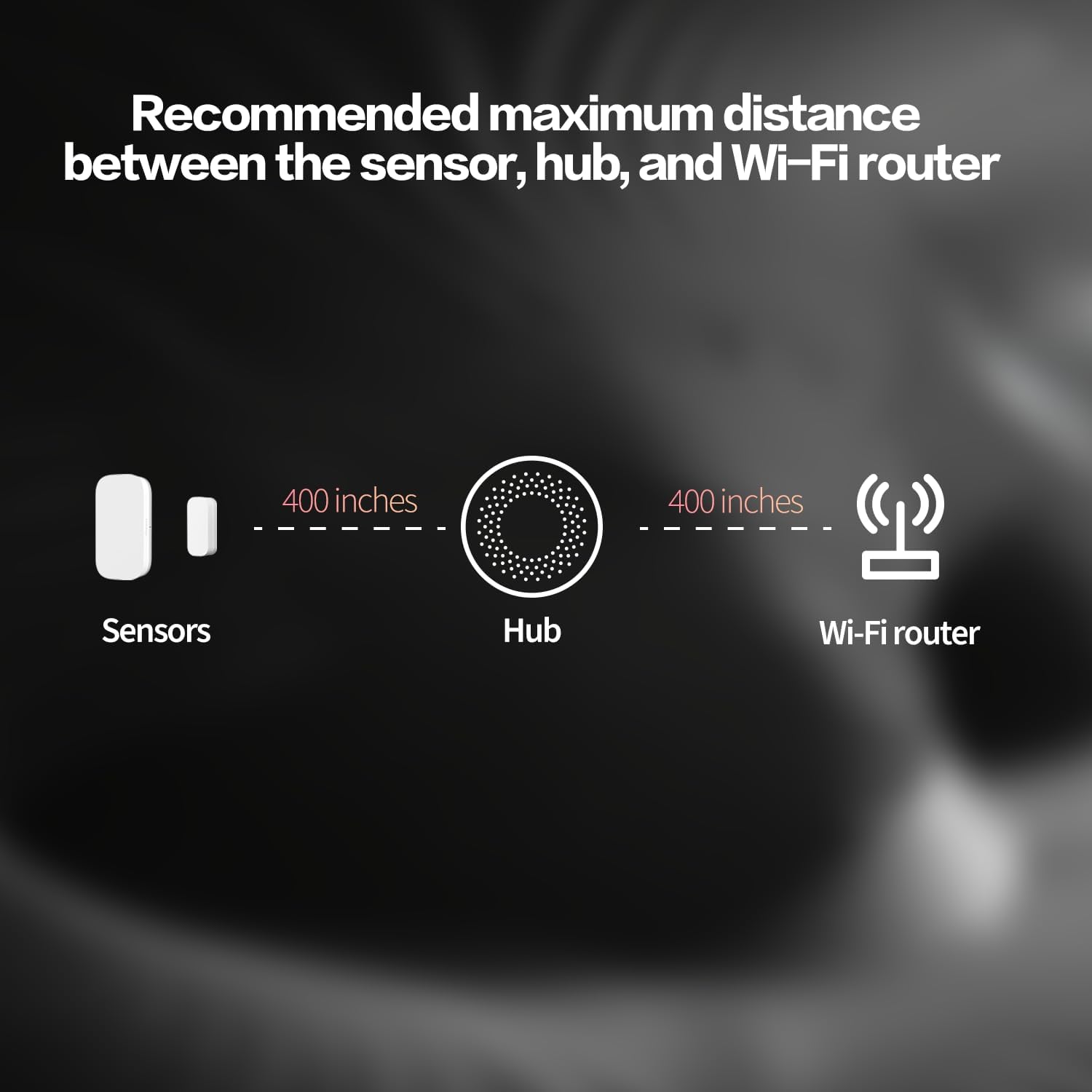
A contact sensor is one of the simplest devices in a smart home security system: it’s a two-piece magnet-and-switch unit that tells your system whether a door or window is open or closed. That sounds almost too simple to argue about — until you’re building a layered security setup where that open/closed signal triggers automations, feeds into smart lock logic, and needs to stay reliable across years of daily use. At that point, the choice between a Zigbee-based sensor (like those from Aqara) and a Matter/Thread sensor (like those from Eve) starts mattering quite a lot. This guide breaks down what both protocols actually mean for a HomeKit user, where each product earns its place, and where reviewers have found genuine friction — so you can place your order with a clear head.
What “Zigbee” and “Matter/Thread” Actually Mean for Your Build
Before comparing the sensors themselves, a quick protocol orientation — because the choice of radio protocol determines your long-term ecosystem flexibility more than almost any spec on the box.
Zigbee is a low-power mesh radio standard that has been the backbone of affordable smart home sensors for over a decade. Aqara’s contact sensors run on Zigbee. The catch: Zigbee devices don’t connect directly to your router or to HomeKit on their own. They need a hub — either Aqara’s own hub, a Sonoff Zigbee USB dongle paired with Home Assistant, or a compatible controller — to translate Zigbee packets into something your network understands. That hub dependency is the tradeoff for Aqara’s competitive price points and proven long-term battery efficiency.
Matter is a newer unified smart home standard backed by Apple, Google, Amazon, and a consortium of manufacturers. Matter devices can be certified to work across ecosystems without brand-specific hubs. Thread is the radio protocol many Matter sensors use — it’s another mesh network standard, but one that’s natively supported by Apple HomePod Mini and Apple TV 4K acting as “border routers” (devices that bridge the Thread mesh to your home network). Eve’s contact sensors use Matter over Thread. That means if you have a HomePod Mini on your network, Eve sensors connect without any third-party hub, with Apple Home as the primary controller.
Per CNET’s Matter Smart Home Standard overview, the promise of Matter is cross-ecosystem interoperability — but as of mid-2026, the real-world picture is more nuanced. Not every feature exposed by a device’s native app works through a generic Matter controller. Eve, for instance, surfaces additional diagnostics through its own Eve app that Apple Home doesn’t yet expose via the Matter channel.
Aqara Zigbee Contact Sensors: The Long-Game Pick for Hub-Centric Builders
If you’re already running an Aqara hub, or building on Home Assistant with a Sonoff Zigbee 3.0 USB dongle, Aqara’s door and window contact sensors are among the most reviewed and most consistently praised sensors in their price class. TechRadar’s Aqara Smart Home Ecosystem review specifically notes the breadth of the Aqara Zigbee device library as a core strength for hub-centric setups.
Where Aqara earns genuine praise:
Reviewers who’ve integrated Aqara contact sensors with Aqara-compatible smart locks highlight a use case that no spec sheet mentions directly: the sensor can prevent a smart lock from attempting to engage when the door isn’t fully latched. When the contact sensor reads “open” (or partially ajar), an automation can hold the lock command until the door is confirmed shut. This is a real failure mode — motorized deadbolts that strain against an unlatched door will, over time, wear out the motor mechanism — and having the contact sensor as a gate in that automation is meaningfully useful. It’s the kind of cross-device logic that makes a sensor worth far more than its unit cost.
The Home Assistant compatibility footnote:
Home Assistant users using a Sonoff Zigbee dongle confirm that Aqara sensors pair successfully — but there’s a non-obvious procedural requirement that generates a surprising number of failed pairings: the pairing button must be held for exactly three seconds. Hold it shorter, nothing happens. Hold it longer, the sensor enters a different mode. This isn’t prominently documented, and reviewers note that many failed pairing attempts trace back to this alone. If you’re deploying Aqara sensors across a multi-unit rental property and having a property manager handle setup, this is worth scripting explicitly into your installation instructions.
The hub dependency in plain terms:
Without the Aqara hub or an equivalent Zigbee coordinator, these sensors don’t work at all. That’s not a dealbreaker for anyone already in the Aqara or Home Assistant ecosystem — but it is a genuine lock-in consideration. If Aqara were to discontinue their hub line or shift to a subscription model for hub functionality (neither has happened as of this writing, but ecosystem vigilance applies), migrating your sensors would require either a compatible Zigbee alternative coordinator or replacing the sensors themselves.
Eve Matter Contact Sensors: The HomeKit-Native Thread Pick
Eve has built its identity around Apple HomeKit, and the Eve Door & Window contact sensor reflects that focus. It pairs via Matter over Thread, which means setup in Apple Home is designed to be frictionless — scan the QR code, and the HomePod Mini border router handles the rest.
The pairing experience in reality:
That frictionless experience is real for many users and completely absent for others. Reviewers have documented a specific and reproducible issue: the Matter pairing process fails on some iPhone models (iPhone 12 Pro has been named specifically by multiple owners) but succeeds on an iPad using the same Apple ID and the same home setup. The root cause appears to be an Apple firmware-side inconsistency rather than an Eve hardware defect — but that’s cold comfort if your iPhone is the only device you have on-site when setting up a rental unit. The workaround, once discovered, is simple: use an iPad or a newer iPhone to complete the initial pairing, then manage the sensor normally from any device afterward.
Response time and reliability — the Thread advantage:
Among Eve’s consistent strengths, reviewers with HomePod Mini border routers report fast and reliable state updates. Thread’s mesh architecture keeps latency low, and because the network path stays local (HomePod Mini to sensor, sensor state to Home), the system doesn’t depend on a cloud round-trip to register a door opening. For automations where a contact-sensor trigger needs to fire a lock command or trigger a camera in under a second, this matters. Tom’s Guide’s contact sensor overview corroborates Thread’s edge on local-network response latency versus cloud-dependent alternatives.
The “what if Apple drops Thread?” question:
This is worth taking seriously rather than dismissing. Thread as a protocol is controlled by the Thread Group (a multi-vendor consortium) and is also the radio layer for Matter — so a unilateral Apple abandonment of Thread would create enormous ecosystem disruption and is considered unlikely by most analysts. But the specific concern for Eve sensors is slightly different: if Apple were to discontinue HomePod Mini production without a replacement border router product, existing HomePod Minis would likely continue functioning until hardware failure, but new Thread sensors would need another border router source (Google Nest Hub Max, for instance, also supports Thread). Eve sensors, being Matter-certified, could theoretically pair to a Google Home or Amazon Alexa ecosystem for basic open/close functionality — though full HomeKit automation logic would not transfer.
By the Numbers: Aqara vs. Eve at a Glance
| Aqara Door & Window Sensor | Eve Door & Window (Matter) | |
|---|---|---|
| Protocol | Zigbee 3.0 | Matter over Thread |
| Hub required | Yes (Aqara hub or Zigbee coordinator) | No (HomePod Mini or Apple TV 4K as border router) |
| Apple Home compatible | Yes (via hub) | Yes (natively) |
| Home Assistant compatible | Yes (with Zigbee dongle) | Via Matter controller |
| Reported battery life | 2+ years on typical interior door | 1.5–2 years on frequently used doors |
| Known pairing quirk | 3-second button press required | iPhone model compatibility variable |
Battery life figures above reflect patterns across owner reviews aggregated by SafeWise’s home security sensor guide and PCMag’s smart sensor roundup — actual results vary with door usage frequency and temperature.
Can You Mix Aqara and Eve in the Same Apple Home?
Yes — and this is a genuinely useful setup for multi-zone security builds. Apple Home treats every sensor as a tile in the Home app regardless of its underlying protocol, provided it’s been added to the home. An Aqara sensor joined via an Aqara hub and an Eve sensor joined directly via Thread will both appear in the same room, both trigger the same automations, and both feed into the same security alerts. The only caveat is that cross-ecosystem automations work at the HomeKit layer — you won’t get Aqara’s hub-level features (like the lock-ajar prevention logic mentioned above) to interact directly with Eve’s Thread diagnostics. Each sensor’s advanced features live in their respective native apps; HomeKit sees the common denominator.
For landlords running multi-unit properties, this mixing flexibility has practical value: you can deploy Aqara sensors in units where you’ve already installed an Aqara hub for other devices, and Eve sensors in units where a HomePod Mini is the only infrastructure — without needing to standardize the entire property on one brand.
Frequently Asked Questions
Do Aqara Zigbee sensors work with Home Assistant without an Aqara Hub? Yes, with a Zigbee coordinator like a Sonoff Zigbee 3.0 USB dongle. The Aqara hub is not required. Zigbee2MQTT or the Home Assistant Zigbee integration (ZHA) handles the pairing. Remember the three-second button press requirement — it’s not documented clearly in the box, but it’s the single most common cause of failed pairings in owner reports.
What happens to Eve Matter sensors if Apple discontinues Thread support or HomePod Minis? Matter-certified sensors are protocol-agnostic at the application layer, so Eve sensors could pair to another Matter controller (Google Home, SmartThings) for basic functionality. HomePod Mini units in service would continue working until hardware failure. A complete Thread abandonment by all consortium members is considered highly unlikely given Thread’s role as Matter’s core radio layer.
Why did my Ring contact sensors all show “tampered” when I installed them from a multi-pack? This is a documented multi-pack shipping issue, not a defect in the sensors themselves. Ring sensors ship with tamper protection active, and in some multi-pack batches, the tamper tab isn’t seated correctly from the factory — or the act of opening the packaging activates the tamper flag. The resolution typically involves opening the sensor, reseating or removing the tamper tab depending on your preference, and re-adding the device to the Ring app. Reviewers note that this resolved cleanly once identified, but diagnosing it the first time — especially when all six sensors in a pack show the same error simultaneously — can consume significant troubleshooting time.
Can I mix Aqara and Eve sensors in the same Apple Home setup? Yes, addressed in the section above. Both appear as standard contact sensors in Apple Home and both can trigger the same automations. Brand mixing is fully supported at the HomeKit layer.
How long do batteries actually last in contact sensors used on frequently opened doors? On a door opened 20–30 times per day (a typical front door in a short-term rental), owner reviews suggest 12–18 months before the first battery replacement. On interior or lower-traffic doors, 2+ years is commonly reported. CR2032 coin cells are the standard across both Aqara and Eve, and they cost very little to replace — the friction is access and remembering to check, not cost.
Do I need a hub for Matter contact sensors, or do they connect directly to my router? Matter over Thread sensors do not connect directly to your router via Wi-Fi. They use the Thread mesh, which requires a Thread border router — in Apple’s ecosystem, that’s a HomePod Mini (second generation) or Apple TV 4K (third generation or later). If you don’t have one of those devices, you’ll need to add one to use Eve’s Thread sensors with Apple Home. Matter over Wi-Fi sensors exist (different products) and do connect more directly, but Eve’s contact sensors are Thread-based.
The Decision Rule
If you’re already hub-centric — Aqara hub, Home Assistant with a Zigbee dongle, or a multi-device Aqara ecosystem — Aqara Zigbee contact sensors are the clear choice. The lock-ajar integration use case alone justifies the pick for anyone running motorized deadbolts, and the cost-per-sensor math holds up across large deployments. Just document the three-second pairing procedure for anyone who isn’t you.
If your infrastructure is HomePod Mini-forward and you want native HomeKit with no additional hub, Eve Matter sensors deliver genuinely fast local response and a clean Apple Home experience — provided you verify initial pairing on a compatible device (iPad or newer iPhone) rather than assuming any iOS device will work out of the box.
If you’re running a multi-unit rental portfolio with mixed infrastructure, mix them. HomeKit handles both, your automations see a unified sensor layer, and you’re not forced into a single-vendor lock-in across properties with different existing infrastructure. That’s the ecosystem-agnostic architecture worth building toward.