August 26, 2026 • Kwame Osei-Bonsu • 11 min reading time • Prices verified June 18, 2026
Budget Video Doorbells Ranked: Blink, Wyze, eufy E340, Ring Battery, and Arlo 2K for Under $150
A video doorbell is exactly what it sounds like: a doorbell with a built-in camera that lets you see, hear, and talk to whoever is at your front door — from your phone, whether you’re home or not. Motion detection (the camera waking up and recording when something moves in front of it) and cloud storage (saving that footage to a company’s servers so you can review it later) are the two features that separate a useful doorbell camera from a glorified peephole. This article ranks five of the most-searched options in the under-$150 tier — Blink Video Doorbell, Wyze Battery Doorbell, eufy E340, Ring Battery Doorbell Plus, and Arlo Essential Video Doorbell 2K — on the things that actually matter after the honeymoon: subscription costs, battery reality, local storage options, and installation friction. If you have a decision pending — a new rental unit, a first apartment, or a property you’re hardening before listing on a short-term rental platform — this is your decision framework.
| EDITOR'S PICKeufy Security Video Doorbell E3… | Mid-tierArlo Video Doorbell 2K + Chime… | Budget pickBlink Video Doorbell – Head-to-… | |
|---|---|---|---|
| Resolution | 2K | 2K | — |
| Power source | Wired or wireless | Wireless or wired | — |
| Dual cameras | ✓ | — | — |
| Subscription | Not required | — | — |
| Battery life | — | — | 2 years |
| Price | $119.98 | $52.24 | $23.99 |
| See on Amazon → | See on Amazon → | See on Amazon → |
The Shortlist at a Glance
Before diving into each model, here is the cost structure that shapes every recommendation below. These are the numbers that matter most across a 3-year ownership window:
| Doorbell | Base Price (approx.) | Subscription Required? | Monthly Sub Cost | Local Storage Option? |
|---|---|---|---|---|
| Blink Video Doorbell | ~$50 | No (limited free tier) | $3/mo per device | Yes, via Sync Module + USB |
| Wyze Battery Doorbell | ~$50 | No (12-day free rolling) | $1.99/mo | No |
| eufy E340 | ~$130 | No | $0 | Yes, built-in 8GB eMMC |
| Ring Battery Doorbell Plus | ~$100 | No (live view only free) | $4/mo or $10/mo | No |
| Arlo Essential 2K | ~$100–$130 | No (3-month free trial) | $4.99/mo | No |
Over 36 months, the eufy E340’s $0 subscription versus Ring’s $4/month Protect Basic plan represents a savings of roughly $144 — and that math compounds quickly across a multi-unit portfolio.
Five Doorbells, Three Budget Tiers: Full Breakdown
Blink Video Doorbell: Cheap Entry, Hidden Friction
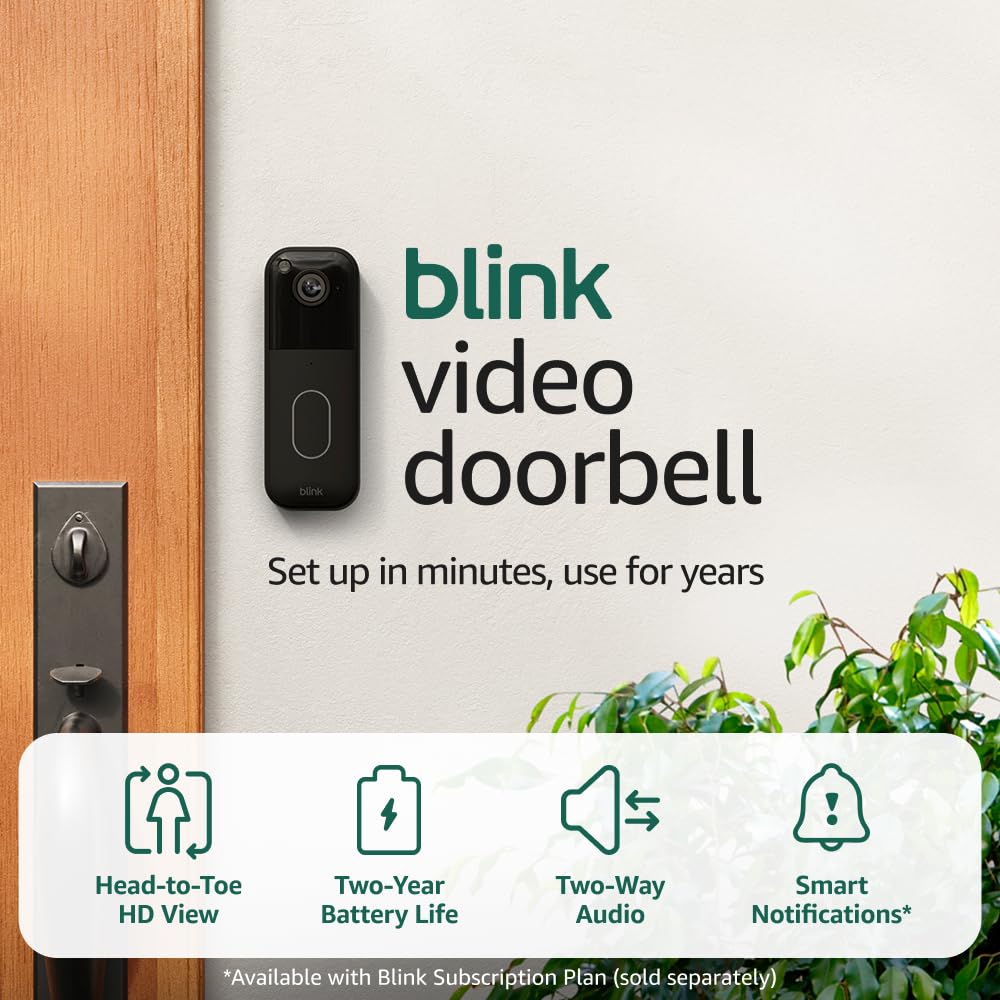
At around $50, the Blink Video Doorbell is genuinely the cheapest path to a functioning video doorbell — but owner reviews consistently surface one installation detail that causes a disproportionate number of complaints: the Sync Module must be placed near your router, not just anywhere in the house. Blink’s architecture routes your doorbell’s signal through the Sync Module hub (a small device Blink requires for local storage and cloud relay), and if the Sync Module is plugged in at the far end of the house from your router, the connection degrades noticeably. That is a solvable problem — plug the Sync Module into an outlet in the same room as your router — but buyers who skip that step frequently blame the doorbell itself for poor performance.
When the Sync Module is positioned correctly and paired with a USB drive (sold separately, typically $8–15 for a 32GB stick), Blink delivers genuine local storage at no monthly cost. PCMag’s Best Video Doorbells guide (2025 edition) notes that Blink’s free tier is one of the more functional in the segment, giving you event history access without a paid plan. The 1080p image quality is adequate but not class-leading, and the motion detection zone customization is less granular than Ring or eufy. Battery life via two AA lithium batteries is rated by the manufacturer at up to two years with moderate use — real-world performance runs closer to 12–18 months, which is still better than most competitors.
The Sync Module requirement is not optional and has no workaround: the Blink Video Doorbell does not have a standalone Wi-Fi mode. Treat the Sync Module placement as part of the installation step, not an afterthought.
If X, then Blink: You want the absolute lowest upfront cost, you are comfortable with Sync Module placement logistics, and you are fine with basic 1080p image quality. It is the right answer for a low-traffic secondary entrance or a rental unit where feature parity matters less than cost-per-door.
Blink
$23.99
In stock on Amazon
Check price on AmazonWyze Battery Doorbell: Best Upgrade at the Same Price
Owner reviews of the Wyze Battery Doorbell are notably consistent in one specific comparison: multiple reviewers who previously owned the Blink Video Doorbell state directly that the Wyze outperforms it in nearly every metric — wider field of view, snappier motion alerts, a more polished app, and a two-month battery life on a single charge cycle. That head-to-head owner comparison is unusually consistent across aggregated review data and should carry real weight in your decision.
Wyze’s app ecosystem is the strongest per-dollar argument for this doorbell. The Wyze platform — if you are already running Wyze Cam v3 units at a property — is genuinely integrated, meaning your doorbell events and your camera events appear in a single timeline. That matters for short-term rental operators who want a unified alert feed without paying for multiple monitoring dashboards.
The honest friction point: Wyze’s free cloud plan keeps a rolling 12-day event history, which is enough for most personal use but potentially thin for insurance documentation after an incident. The Cam Plus plan at $1.99/month per device adds longer retention and person/vehicle/package AI detection. Security.org’s Video Doorbell Comparison Guide (2025) flags Wyze’s lack of a professional monitoring option as a real constraint for buyers who want a hybrid self-monitored and professionally monitored setup.
One technical note that trips up some buyers: the Wyze Battery Doorbell operates on 2.4GHz Wi-Fi only — it does not support 5GHz networks. If your router’s 2.4GHz band is congested or if you have disabled it in favor of 5GHz-only operation, you will need to re-enable it before this doorbell will connect.
If X, then Wyze: You already have or plan to build a Wyze camera ecosystem, you want a meaningful upgrade over Blink at the same price point, and the 2.4GHz-only limitation is a non-issue at your property.
Blink
$23.99
In stock on Amazon
Check price on Amazoneufy E340: The No-Subscription Local-Storage Champion
The eufy E340 forces a genuinely different question: what is privacy and local storage worth to you in dollars? The E340 stores footage on 8GB of built-in eMMC memory (flash storage soldered directly into the device, not a removable card), with no monthly subscription required — ever. Reviewers who migrated from other subscription-based doorbells specifically cite the elimination of a recurring fee as a primary reason for switching, and the pattern of non-technical buyers finding the eufy HomeBase 3 ecosystem straightforward to manage is a meaningful usability signal.
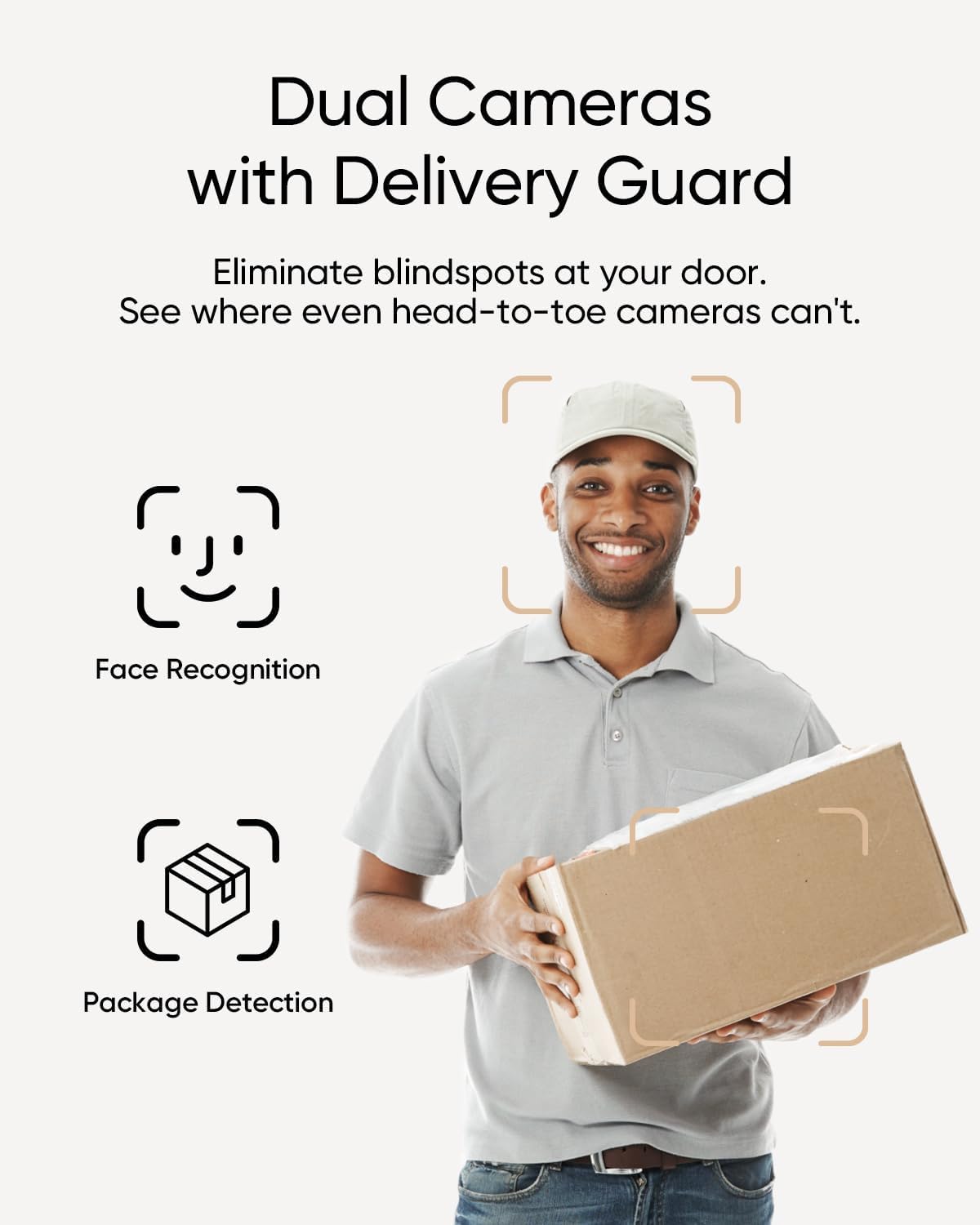
The E340’s standout hardware feature is its dual-camera configuration: a primary wide-angle lens for face and visitor detection, and a second downward-angled lens specifically aimed at the ground-level zone in front of your door. The package detection use case is real — reviewers note it catches delivery drops that a single-lens doorbell misses because the driver bends down below the primary camera’s field of view. Tom’s Guide’s Best Video Doorbells guide (2025) highlights the E340’s package detection as genuinely differentiated in the sub-$150 category.
At approximately $130, the E340 costs more upfront than Blink or Wyze. The 3-year total cost of ownership math reverses that gap entirely once you price in even the cheapest Ring or Arlo subscription plan. For a short-term rental property where you are not doing ongoing cloud monitoring and simply want recorded evidence available on-device if something goes wrong, the E340’s architecture is close to ideal.
If X, then eufy E340: You want zero subscription costs, you care about local storage privacy, or you are managing a property where package theft is a documented problem. It is the strongest choice in the group for landlords running lean on operating costs.
Arlo
$52.24
In stock on Amazon
Check price on AmazonRing Battery Doorbell Plus: Brand Trust at a Subscription Premium
Ring is the brand that shows up most often when first-time security buyers describe their purchase decision — not because Ring consistently wins spec-sheet comparisons, but because the brand recognition itself is part of what these buyers are purchasing. That is a legitimate buying criterion, and Ring delivers on it through app polish, neighborhood alert integrations via the Neighbors network, and an ecosystem that feels finished and well-supported.
The functional upgrade the Ring Battery Doorbell Plus offers over the base Ring Battery Doorbell is a head-to-feet view — the image is taller than wide, capturing more vertical context. CNET’s Best Video Doorbells for 2025 guide notes this is particularly useful for identifying visitors by build and clothing, not just by face. Battery life on the Plus is manufacturer-rated at six to twelve months; aggregated owner reviews put real-world performance closer to three to six months depending on motion traffic. For a high-traffic front door — a short-term rental with frequent guest turnover — plan on quarterly recharges. The charging cycle takes approximately five to ten hours via USB-C, meaning you will want a spare battery pack if you cannot afford any monitoring gap.
The subscription picture is the honest negative here: Ring’s free tier gives you live view only. Any recorded footage requires Ring Protect Basic at $4/month per device, or $10/month for unlimited devices in the home. SafeWise’s Best Wireless Doorbells guide (2025) notes that Ring’s per-device subscription model is the most expensive structure in this comparison over a three-to-five year horizon, especially for multi-unit operators.
If X, then Ring Battery Doorbell Plus: You are a first-time buyer who values brand ecosystem comfort and Neighbors network integration, you are managing a single residence rather than a portfolio, and you are willing to absorb the subscription cost for the app experience.
Arlo
$52.24
In stock on Amazon
Check price on AmazonArlo Essential Video Doorbell 2K: Best Resolution, Best in Wired Homes
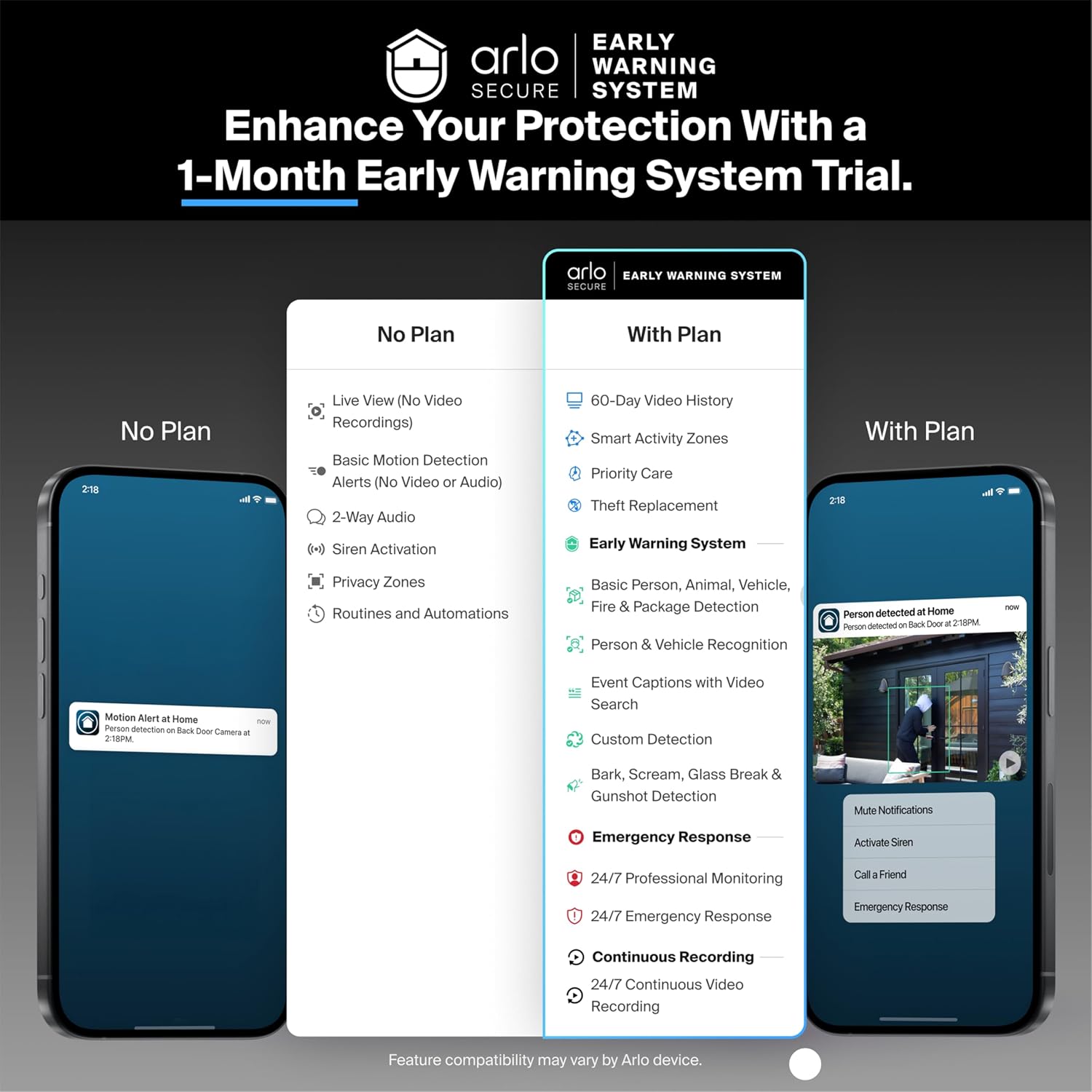
The Arlo Essential 2K is the odd one out in a battery-focused comparison because its best use case is specifically for homes with existing doorbell wiring — the low-voltage wire pair that most homes built before 2010 have running to their front door. If that wiring exists, installation is genuinely straightforward: connect two wires, mount the unit, configure the app. Reviewers in older homes consistently report that the hardwired setup takes under 30 minutes and eliminates every battery management concern permanently. The Arlo Chime 2 (a separate in-home chime unit that connects via Wi-Fi to the doorbell) fills the gap for homes where the original mechanical chime is incompatible — reviewers who added it describe notification reliability as significantly better than phone-only alerts.
The 2K image resolution (2560×1920 pixels) is meaningfully better than 1080p for license plate and face identification at distance. PCMag’s Best Video Doorbells guide (2025 edition) notes that Arlo’s color night vision ranks among the strongest performers in the budget category. The subscription model runs through Arlo Secure at approximately $4.99/month for a single camera, which includes AI object detection and 30-day cloud history. Without a subscription, Arlo’s free tier is limited to live view only — the same constraint as Ring.
If X, then Arlo Essential 2K: Your home has existing doorbell wiring, image quality at distance is a priority (common for properties with long driveways or setback entries), and you are comfortable with the ongoing subscription cost in exchange for installation simplicity and a resolution advantage.
eufy
$119.98
In stock on Amazon
Check price on AmazonFrequently Asked Questions
Does the Blink Video Doorbell require a Sync Module, or can it work without one? The Sync Module is required for Blink to function — it is the hub that connects your doorbell to your Wi-Fi network and enables both cloud and local USB storage. There is no standalone Wi-Fi mode. Place it within reasonable range of your router (same room or adjacent room) to avoid connectivity problems.
Can the eufy E340 record and store footage locally without any monthly fee? Yes, definitively. The E340 has 8GB of built-in eMMC storage that records locally with no subscription required. eufy’s HomeBase 3 also supports additional local storage expansion. You can review footage through the eufy Security app at any time without paying anything beyond the device purchase price.
Does the Wyze Battery Doorbell work on 5GHz Wi-Fi, or only 2.4GHz? The Wyze Battery Doorbell supports 2.4GHz only. It will not connect to a 5GHz network. If your router broadcasts only on 5GHz or if your 2.4GHz band is disabled, you will need to enable and configure the 2.4GHz band before setup.
How often do you actually need to recharge the battery on the Ring Battery Doorbell Plus? Ring’s manufacturer rating is six to twelve months per charge, but real-world owner experience clusters between three and six months for moderate-to-high-traffic front doors. Properties with frequent foot traffic should plan for roughly quarterly recharges. Charging via USB-C takes approximately five to ten hours.
What is the eufy E340’s dual-camera setup, and does the second camera actually help with package detection? The E340 uses one wide-angle lens at standard door height and a second downward-angled lens that captures the lower ground zone directly in front of your door. Reviewers confirm it catches package drop-offs that a single-lens camera misses because delivery drivers often crouch or bend below the primary camera’s field of view. For properties with frequent delivery activity or documented package theft, the second lens is a genuine functional addition, not a marketing feature.
Will any of these doorbells work if my home has no existing doorbell wiring? Yes — the Blink Video Doorbell, Wyze Battery Doorbell, eufy E340, and Ring Battery Doorbell Plus all operate on internal rechargeable or replaceable batteries and require no existing wiring. The Arlo Essential 2K is designed primarily as a wired doorbell and performs best in that configuration, though a battery accessory option exists at additional cost. If you are in an apartment or a home without wiring, the four battery-native options are fully viable.