August 7, 2026 • Kwame Osei-Bonsu • 11 min reading time • Prices verified June 18, 2026
Subscription-Free Storage Showdown: SD Card, NVR, and Solar Hub Cameras Without Monthly Fees
If you’ve ever shopped for a security camera and felt blindsided by a subscription fee that showed up after you’d already unboxed the thing, you’re not alone — and you’re in exactly the right place. A “subscription” in home security means a recurring monthly charge (typically $3–$10 per camera) that unlocks cloud storage, where your camera’s recorded video is saved to servers you don’t own or control. Skip the subscription and, on many popular camera systems, your device becomes little more than a live-view screen — it records nothing you can review later. The alternative is local storage: keeping your video footage on hardware you own, whether that’s a small memory card inside the camera, a dedicated recording appliance called an NVR (Network Video Recorder), or a hub device that accepts a USB drive or SD card. This article walks through all three approaches — what they actually deliver, where reviewers have been burned, and how to match the right architecture to your situation before you buy.
| EDITOR'S PICKREOLINK Smart 5MP 8CH Home Secu… | Mid-tierLutron Maestro Motion Sensor Li… | Budget pickWyze Cam OG Indoor/Outdoor 1080… | |
|---|---|---|---|
| Resolution | 5MP | — | 1080p |
| Storage | 2TB HDD | — | — |
| Channel Count | 8CH | — | — |
| Power Source | Wired PoE | — | Wi-Fi |
| Night Vision | — | — | Color Night Vision |
| Smart Assistant | — | — | Alexa & Google |
| Price | $389.98 | $39.98 | $19.98 |
| See on Amazon → | See on Amazon → | See on Amazon → |
The Blink Situation: A Cautionary Tale You Cannot Afford to Skip
The single most emotionally charged failure mode in this entire product category involves Blink Outdoor camera buyers. The story is consistent enough across aggregated reviews that it deserves its own section.
Blink cameras are marketed with the option of local storage via the Blink Sync Module 2, a small hub device that accepts a USB flash drive. On paper, this sounds like a clean subscription bypass. In practice, per CNET’s comparison piece “Blink vs. Ring vs. Wyze: Which Security Camera System Is Right for You?” and buyer review patterns tracked by PCMag in their no-subscription camera roundup, the implementation carries a critical caveat: the Sync Module must remain linked to an active Blink account with internet connectivity to authorize local recording. Reviewers who lost connectivity or tried to operate the system during an outage discovered that the cameras stopped logging events to the USB drive. The “local storage” was never truly local in the offline sense — it was local-hardware-plus-cloud-authentication.
This is not a minor edge case. Security.org’s overview titled “Home Security Camera Storage Options Explained” specifically flags the distinction between “no monthly fee” and “no internet required” as one of the most misunderstood axes in consumer security marketing. For a household where subscription costs feel precarious — or for a rental property you want to run with minimal operational overhead — Blink’s local storage path carries real operational risk. The hardware is inexpensive. The dependency is not.
The decision rule here is blunt: if you need footage that survives an internet outage or account disruption, Blink’s local-storage path is not a reliable foundation.
Three Storage Architectures, Compared
The subscription-free camera market splits cleanly into three hardware approaches. Each has a price tier, a use-case fit, and a failure mode that reviewers document repeatedly. Understanding all three before you buy is the entire game.
SD Card Cameras: The Budget-Tier Local Storage Entry Point
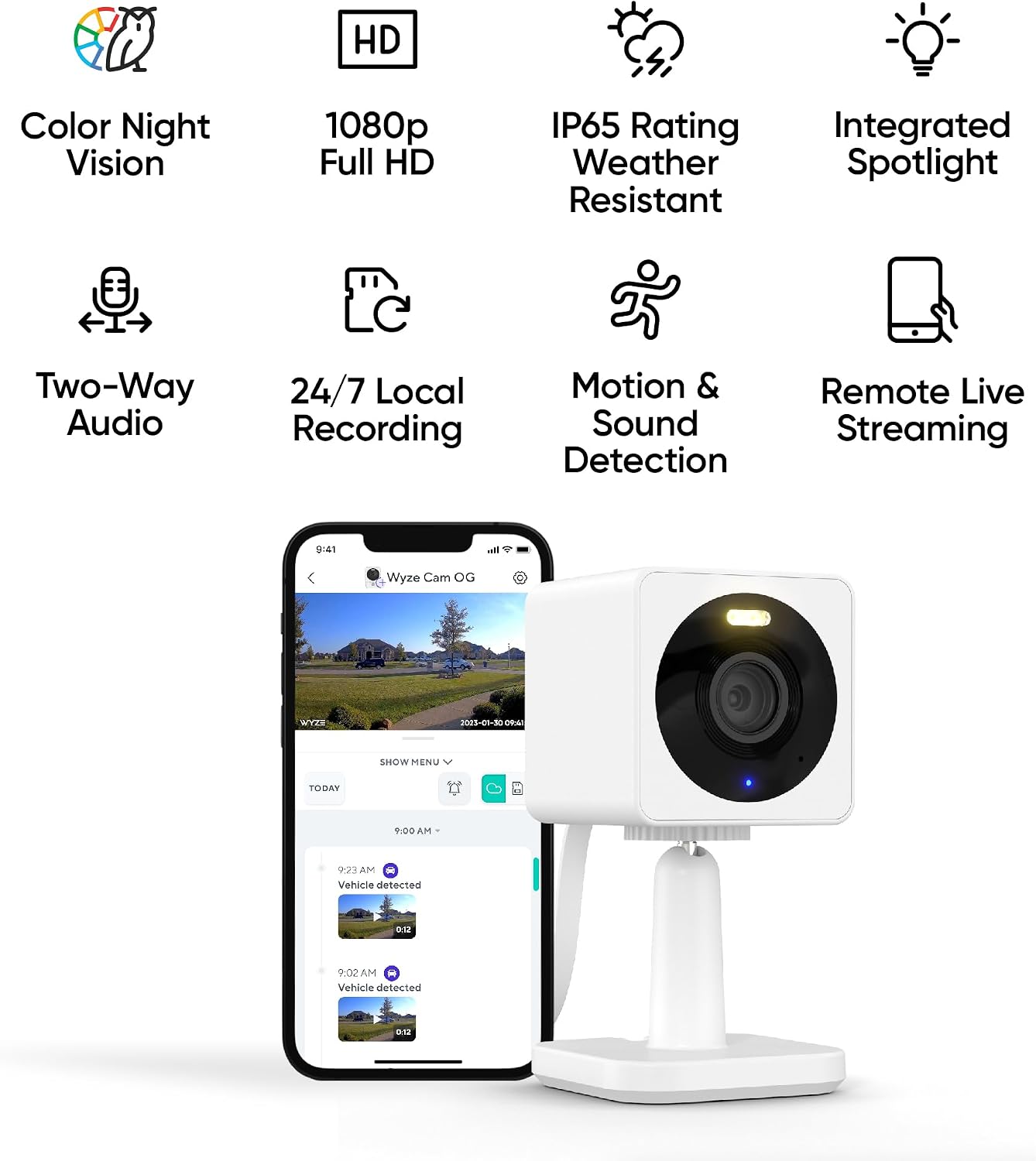
The cleanest counter-example to the Blink cautionary tale is the Wyze Cam v4 with a microSD card inserted. Owners across multiple review cycles consistently praise one specific feature: continuous recording to the card, which runs independent of any subscription status.
Where Blink records motion-triggered clips (and requires cloud handshakes to store them locally), Wyze’s SD card path records a rolling loop of full video — every minute of every hour, overwriting the oldest footage when the card fills. SafeWise’s roundup “Best No-Monthly-Fee Security Cameras” and Tom’s Guide’s NVR and camera coverage both note this as a genuine differentiator. You can pull a 32GB or 64GB card, slot it in, and the camera starts writing. No cloud account required for the recording function itself.
The tradeoffs are real and worth naming explicitly:
- Card capacity limits your history. A 32GB card at 1080p continuous typically stores 2–4 days of footage before the loop overwrites. Budget for a 128GB or 256GB card if you want a longer lookback window.
- Physical card access is required for review unless you’re using the app over your local network, which does require WiFi for remote access. If someone takes the camera, they take the footage.
- Card failure is silent. MicroSD cards have finite write cycles. Cards can fail without obvious warning, leaving gaps in recording history. Checking card health periodically is a real maintenance task.
For renters and first-time homeowners who want true subscription-free recording without a complex setup, the Wyze Cam v4 with a quality endurance-grade SD card (look for cards labeled “High Endurance,” rated for continuous write cycles) is the most straightforward entry point in the category. PCMag’s no-subscription camera roundup consistently places Wyze in the “best value with local storage” tier for exactly this reason.
Wyze
$19.98
In stock on Amazon
Check price on AmazonNVR Systems: The Mid-Tier Solution for Multi-Camera Installations
An NVR — Network Video Recorder — is a dedicated appliance, usually a small box that sits in a closet or on a shelf, that connects to IP cameras and records footage continuously to an internal hard drive. The core appeal: once you’ve bought the hardware, there are no ongoing fees. Your 7-, 14-, or 30-day recording history lives on a drive you own.
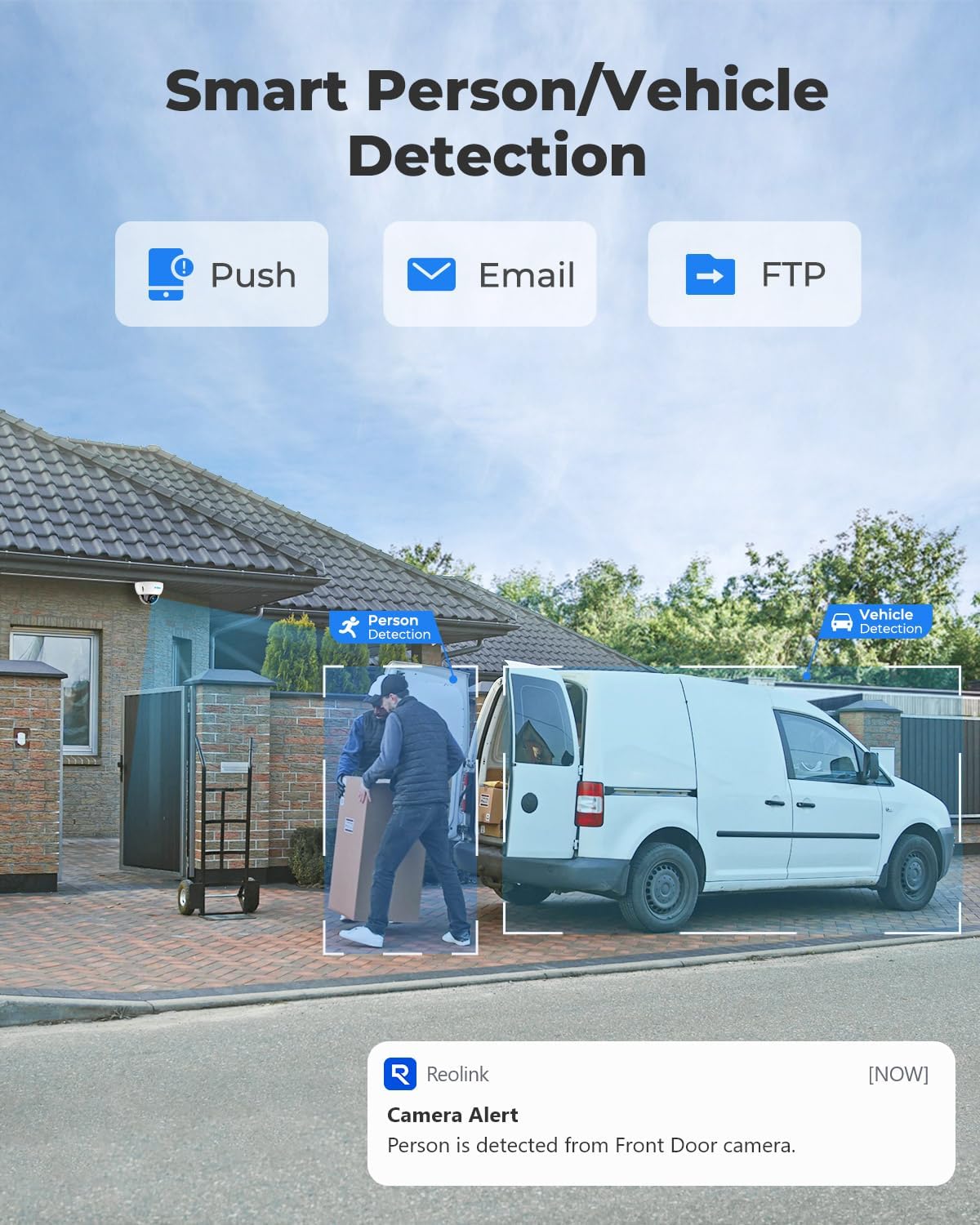
Reolink’s NVR lineup is the most frequently cited entry point in the mid-range buyer segment, and reviewers at Tom’s Guide and PCMag consistently rate Reolink’s matched camera-plus-NVR kits as reliable performers for the price. The word “matched” carries critical weight here.
Owners who attempt to mix third-party cameras into a Reolink NVR — even cameras that speak the same basic network protocol (ONVIF, the industry standard for interoperability) — report consistent friction: partial feature loss, unreliable motion detection zones, and occasional recording gaps. Reolink’s NVR is optimized for Reolink cameras. The ONVIF handshake works, but the advanced features don’t fully translate. This is not unique to Reolink — it’s a pattern across the NVR category — but it’s most visibly documented in owner communities because of the brand’s market penetration.
The decision rule: If you’re buying into an NVR system, commit to that brand’s camera ecosystem. The interoperability promise of ONVIF is real but shallow. Mixed-brand NVR builds are a project for someone with time to troubleshoot, not a reliable plug-and-play path.
NVR Storage at a Glance
| Drive Size | 1080p / 4 Cameras (continuous) | 4K / 4 Cameras (continuous) |
|---|---|---|
| 1TB | ~7 days | ~2–3 days |
| 2TB | ~14 days | ~4–6 days |
| 4TB | ~28 days | ~8–12 days |
Estimates based on manufacturer-published bitrate specs and standard H.265 compression. Actual results vary by motion activity and compression settings.
A 2TB drive on a 4-camera 1080p system gives you roughly two weeks of rolling history — enough for most residential security needs and the most common configuration buyers land on. Per Security.org’s “Home Security Camera Storage Options Explained,” 2TB is the recommended floor for households that want meaningful forensic lookback after a weekend absence.
Lutron
$39.98
In stock on Amazon
Check price on AmazonSolar Hub Cameras: The Premium-Consideration Tier for Off-Grid Structures
Solar-powered cameras with integrated hubs represent the newest axis in this comparison. The pitch: a self-powered camera that stores footage locally, drawing energy from a solar panel, requiring no subscription and — nominally — no infrastructure. Some solar camera lines have attracted reviewer attention specifically for confirming that local microSD storage functions without any subscription tier, which reviewers note as a genuine differentiator from solar competitors that gate local storage behind a paid plan.
But experience with several solar hub cameras introduces a critical distinction the category hasn’t fully resolved. Buyers who attempted fully offline operation — no internet connection at all — reported that some cameras marketed as subscription-free failed to record locally without an active connection. When buyers contacted manufacturer support, the confirmation came back clearly: internet connectivity is required for recording authorization, even on cameras marketed as having “no subscription.” Per SafeWise’s coverage in “Best No-Monthly-Fee Security Cameras,” this is the sharpest line to draw in the category:
- “No subscription required” = no recurring monthly fee to access footage you’ve already recorded.
- “No internet required” = the camera and its storage function completely independently of any network or account infrastructure.
These are not the same thing. Most cameras marketed as subscription-free still require an internet connection for initial setup, ongoing authentication, or both. Buyers who need cameras to function through internet outages — for rural properties, off-grid structures, or locations with unreliable connectivity — need to verify offline operation explicitly with the manufacturer before purchase, not after.
For short-term rental hosts managing remote properties, this distinction has real operational teeth. A cabin without reliable internet needs a different storage architecture (a local NVR on the building’s own network, or a verified offline SD-card camera) than an urban rental with fiber connectivity.
REOLINK
$389.98
In stock on Amazon
Check price on AmazonFrequently Asked Questions
Can I use a Blink camera to record locally without any subscription at all?
Technically yes — the Blink Sync Module 2 supports a USB drive for local storage without a paid subscription. But “without any subscription” is not the same as “without internet.” The Sync Module requires an active internet connection and a linked Blink account to authorize local recording. If your account lapses or your internet goes down, local recording stops. Buyers expecting truly account-independent local storage will be disappointed. CNET’s comparison piece “Blink vs. Ring vs. Wyze: Which Security Camera System Is Right for You?” surfaces this specifically as a friction point for subscription-averse buyers.
Do Wyze cameras record continuously to SD card without WiFi?
Once a Wyze Cam v4 is set up and has a microSD card inserted, continuous local recording runs even if the camera loses internet access — the recording loop on the card keeps writing. However, initial setup requires a WiFi connection and the Wyze app. Remote viewing (watching footage on your phone from outside your home) requires internet. The local SD recording itself does not. This makes Wyze meaningfully more resilient to internet disruptions than Blink for local storage purposes, as noted in PCMag’s no-subscription camera roundup.
Will a Reolink NVR work with cameras from other brands?
At a basic level, yes — most IP cameras that support ONVIF will connect to a Reolink NVR and stream video. But owners consistently report that mixing non-Reolink cameras causes loss of advanced features (smart motion zones, AI person detection, two-way audio sync) and occasional reliability issues. Tom’s Guide’s NVR system coverage reinforces the recommendation to use matched cameras within the same ecosystem for a stable, full-featured installation.
What does “no subscription required” actually mean for solar cameras — do I still need internet?
“No subscription required” means no recurring monthly fee. It does not mean no internet required. As documented in buyer support interactions with multiple solar camera brands, many cameras marketed as subscription-free still need internet connectivity for account authentication or cloud handshakes, even when storing footage to a local card. If you need a camera to function without any internet connection, verify offline operation capability explicitly — in writing from the manufacturer — before purchasing. SafeWise’s “Best No-Monthly-Fee Security Cameras” flags this as the most common source of buyer disappointment in the solar hub segment.
How much footage does 2TB store before the NVR starts overwriting?
On a 4-camera system recording at 1080p with H.265 compression, a 2TB drive holds approximately 14 days of continuous footage before the oldest recordings are overwritten. At 4K resolution with the same four cameras, that window compresses to roughly 4–6 days. Motion-only recording modes can extend these windows significantly — sometimes doubling or tripling the retention period — but continuous recording is the more reliable forensic standard. Per manufacturer-published specs across Reolink and comparable NVR systems, 2TB is the minimum recommended for households wanting two-week rolling retention at 1080p, a figure also cited by Security.org’s storage options overview.
The Decision Framework: If X, Then Y
If you want the simplest possible subscription-free setup with real continuous recording: An SD card camera such as Wyze Cam v4 with a 128GB High Endurance microSD card. Set it, forget it, and check the card quarterly for health.
If you’re building a multi-camera property installation and want 14+ days of retained footage: A matched NVR kit — Reolink NVR with Reolink cameras being the most reviewed entry point. Commit to the ecosystem; don’t mix brands.
If you’re managing a remote or off-grid property where internet reliability is uncertain: A local NVR on the property’s own network (no cloud dependency for recording) is your most resilient path. Avoid Blink local storage and any solar camera that requires internet for recording authorization.
If you’re evaluating solar cameras for a detached structure or area without power: The “no subscription” label is necessary but not sufficient. Verify internet requirements for your specific use case before committing, ideally with a written confirmation from the manufacturer’s support channel.
If you’re a short-term rental operator with multiple properties: The NVR-per-property model with remote VPN access to each local network gives you the most control, the lowest long-term cost, and the least vendor dependency. It’s the highest setup effort in this comparison — but also the highest resilience.
The core discipline in this category is refusing to let “no subscription” do more work than it can. Know which features require a fee, which require internet, and which are genuinely hardware-local. That distinction, more than any spec comparison, determines whether your investment performs when you actually need it to.