September 28, 2026 • Kwame Osei-Bonsu • 11 min reading time • Prices verified June 18, 2026
Wyze Cam OG vs. Wyze Cam v4 vs. Blink Mini 2K+: Indoor-Outdoor Plug-In Cameras Under $40 Tested
If you’ve ever left the house and immediately wondered what the dog is up to, you already understand why plug-in indoor cameras have become the single most popular entry point into home security. A plug-in camera — one that draws power from a standard wall outlet rather than running on batteries — sits in a fixed spot, stays online around the clock, and sends you a clip or a live view whenever something moves. At the under-$40 price point, three models dominate the conversation in mid-2026: the Wyze Cam OG, the Wyze Cam v4, and the Blink Mini 2K+. All three claim sharp video, free motion alerts, and easy app setup. The differences — in image quality, local storage, subscription structure, and platform reliability — are exactly where buyers trip up. This article maps those differences so you can match the right camera to your actual situation, whether that’s a single rental unit or a five-camera household build.
| EDITOR'S PICKWYZE Cam v4 (Latest Model) | Mid-tierWyze Cam OG Indoor/Outdoor 1080… | Budget pickBlink Mini - Compact indoor plu… | |
|---|---|---|---|
| Resolution | 2.5K | 1080p | 1080p |
| Night Vision | Color | Color | — |
| Spotlight | — | ✓ | — |
| Two-Way Audio | — | ✓ | ✓ |
| Smart Platform | — | Alexa/Google | Alexa |
| Placement | Indoor/Outdoor | Indoor/Outdoor | Indoor |
| Price | $35.97 | $19.98 | $9.99 |
| See on Amazon → | See on Amazon → | See on Amazon → |
Why the Pet-Monitoring Use Case Reveals Everything
It sounds like a narrow niche, but “keep an eye on the dog while I’m at work” is the dominant use case in owner reviews across all three cameras — and it turns out to be the best possible stress test. Pet monitoring demands reliable live-view load times (you want the feed up in under three seconds, not ten), consistent motion detection that catches a moving animal without flooding you with false alerts, and 24/7 uptime because the camera has to stay on during an eight-hour workday, not just when you trigger it.
Aggregated owner feedback and published editorial reviews place the three cameras as follows on those specific demands:
| Camera | Live View Speed | Free Local Storage | Free Motion Clips | Outdoor-Rated |
|---|---|---|---|---|
| Wyze Cam OG | 2–4 sec typical | microSD up to 32 GB | 12-sec clips, 5-min cooldown | No (indoor only) |
| Wyze Cam v4 | 2–4 sec typical | microSD up to 256 GB | 12-sec clips, 5-min cooldown | Yes (IP65) |
| Blink Mini 2K+ | 1–3 sec typical | USB drive via Sync Module 2 | 60-sec clips, 30-sec cooldown | Yes (weather-resistant mount) |
Tom’s Guide (“Blink Mini 2 Review”) and SafeWise (“Best Cheap Home Security Cameras”) both highlight the Blink Mini 2K+‘s live-view snap speed as a genuine differentiator. However, long-run owner reports note that even on fast home internet connections of 200 Mbps or more, Blink’s platform occasionally drops the connection and requires backing out of the app and retrying. This appears to be a server-side latency issue rather than a hardware fault, and it is worth naming honestly before committing to a multi-camera Blink deployment.
Head-to-Head: Three Cameras, Three Deployment Profiles
Wyze Cam OG — The Volume Buy for Indoor Coverage
Blink
$9.99
In stock on Amazon
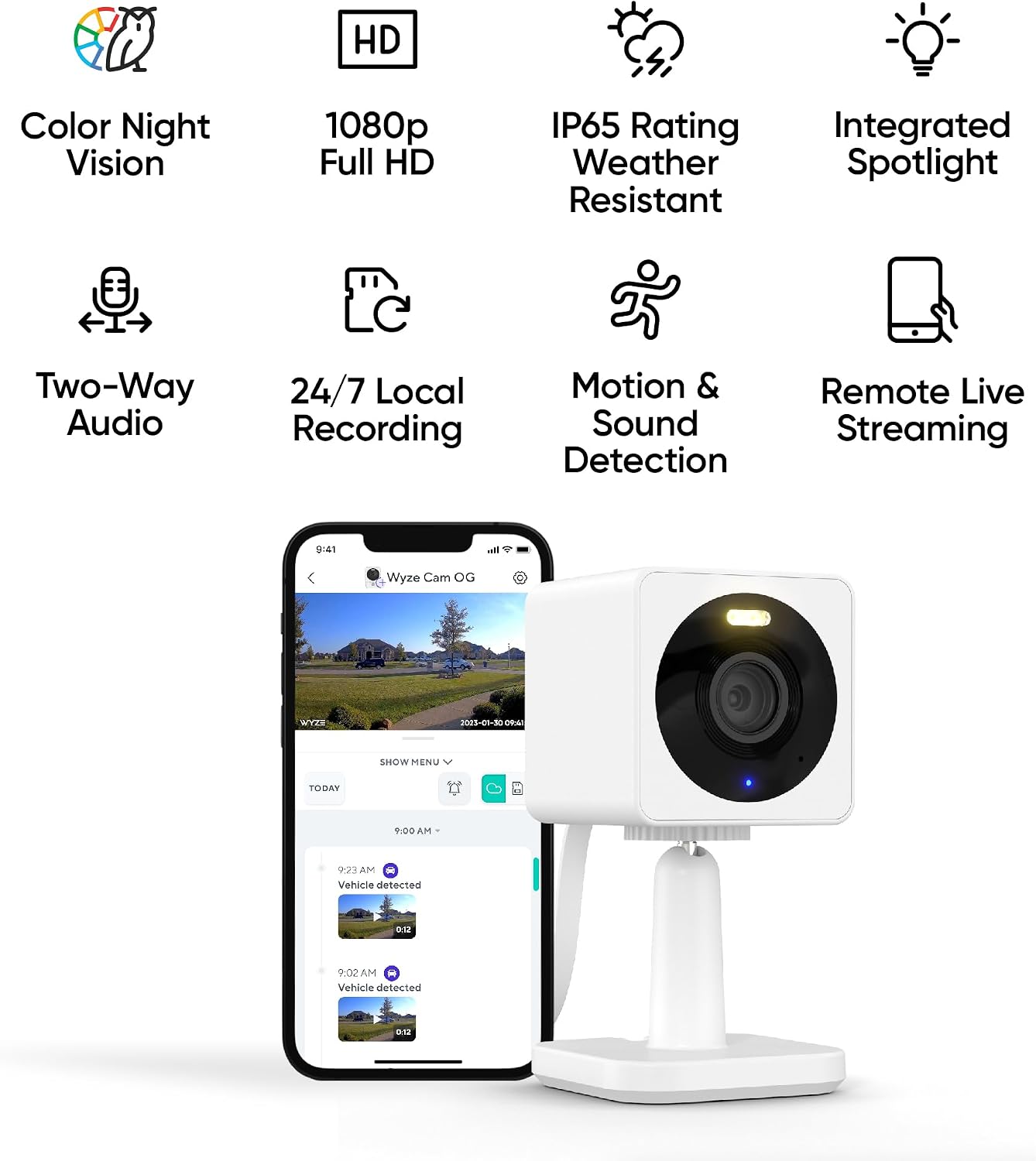
Check price on AmazonThe Wyze Cam OG launched as a near-replacement for the popular v3, and buyers consistently express surprise at the image quality relative to the price point. PCMag’s “Wyze Cam OG Review” describes it as a compelling value for buyers who want to blanket a property with multiple units, noting that the low per-unit cost makes four- and five-camera deployments financially realistic at this tier. The OG delivers 1080p resolution with color night vision driven by a supplemental ambient light sensor rather than infrared only, and owners report it handles dim hallways and low-light living rooms better than the spec sheet suggests.
The OG’s ceiling: it is indoor-only, and its microSD slot tops out at 32 GB — enough for several days of continuous local footage at standard quality before overwriting begins. For a single-room deployment where the goal is monitoring one space without paying a monthly fee, the OG is the most cost-efficient entry point in this comparison.
Best for: renters who need one or two cameras in a living room or entryway, buyers who want to test the Wyze ecosystem before committing to a larger build.
Blink
$9.99
In stock on Amazon
Check price on AmazonWyze Cam v4 — The Durability and Resolution Step-Up
Wyze
$19.98
In stock on Amazon
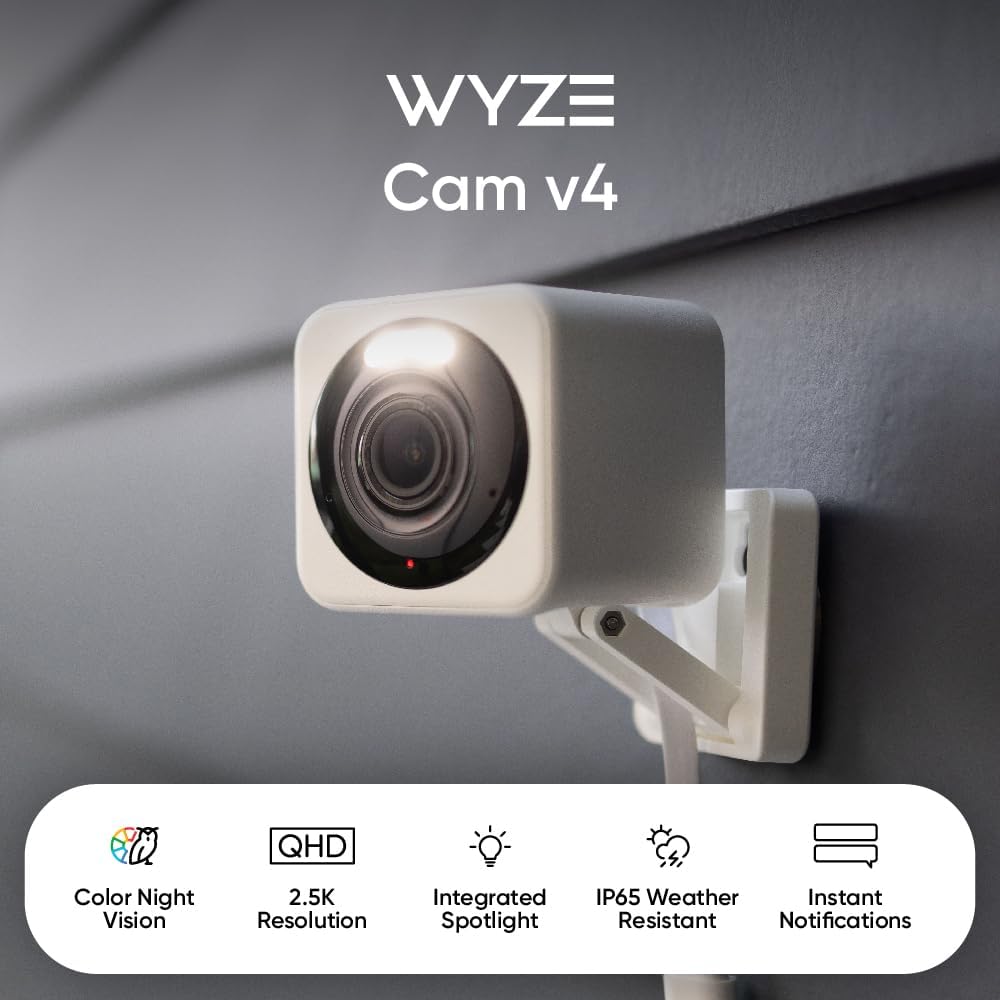
Check price on AmazonThe Wyze Cam v4 raises the ceiling on two dimensions that matter in real deployments: resolution and weather resistance. Its 2.5K sensor (2560×1440) captures noticeably more detail than the OG at similar distances — a meaningful difference when you need to read a package label or identify a face near a doorway. The IP65 rating means it is tested to resist dust ingress and direct water jets, which makes it the only camera in this comparison that is genuinely deployable outdoors without modification or caveats.
The durability point is not just a spec-sheet claim. One documented owner report describes a Wyze v4 unit left running inside a chicken brooder — a heated, dusty, humid enclosure used to raise baby chicks — for nearly two years, then rediscovered and found to be fully functional. That is not a controlled lab test, but it is the kind of sustained-condition evidence that spec sheets do not capture. Wyze’s published product documentation confirms the v4 supports microSD cards up to 256 GB, compared to the OG’s 32 GB ceiling — a meaningful difference if you want several weeks of continuous local footage without overwriting.
Best for: homeowners who want a single camera to cover both an indoor and outdoor zone, buyers running more than two cameras who want higher-resolution footage without adding a subscription.
Wyze
$19.98
In stock on Amazon
Check price on AmazonBlink Mini 2K+ — The Live-View Speed Leader with Subscription Nuance
WYZE
$35.97
In stock on Amazon
Check price on AmazonThe Blink Mini 2K+ reaches 2K resolution (1920×1080 with a wider field of view than its predecessor) and includes a built-in spotlight that enables color night vision without relying on a separate ambient sensor. CNET’s “Best Budget Home Security Cameras” guide notes that the image is noticeably sharper than the original Blink Mini, and the wider lens reduces blind spots in smaller rooms — a practical benefit in apartments and studio layouts where a narrow field of view means repositioning the camera every time furniture moves.
Its outdoor suitability requires one planning step: Blink ships a weather-resistant mounting kit, and the camera body is rated for outdoor exposure, but the power adapter and cable run require careful routing if you are mounting under an eave. This is manageable but not as clean as the v4’s single-unit IP65 design.
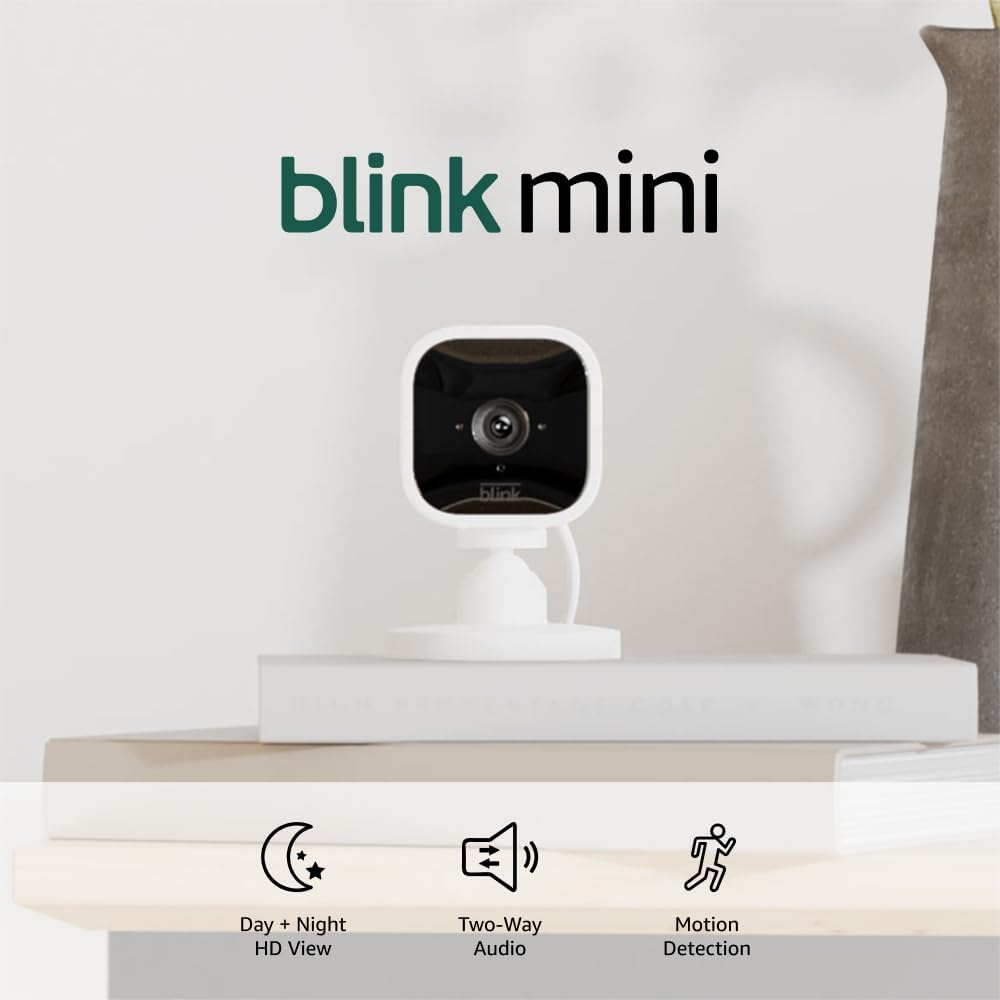
The Sync Module 2 dependency is the most-asked question in Blink owner communities. You do not need a Sync Module to use the Blink Mini 2K+ for live view or cloud-stored clips on a paid plan. You do need a Sync Module 2 — sold separately for approximately $35 — if your goal is free local USB storage with no subscription. Factor that cost into your budget if zero recurring fees is the target.
Best for: buyers who prioritize live-view load speed for a single pet-monitoring camera, households already invested in the Amazon/Alexa ecosystem, users comfortable paying Blink’s subscription for cloud clips.
WYZE
$35.97
In stock on Amazon
Check price on AmazonThe Subscription Trap: What Is Actually Free vs. Paywalled
This is the section that saves buyers the most money — and the most frustration. At the under-$40 tier, camera hardware is often a loss-leader designed to pull you into a recurring subscription. Here is the honest breakdown as of mid-2026:
Wyze (both OG and v4):
- Free tier includes 12-second event clips with a 5-minute cooldown between triggers, live view, two-way audio, and continuous local recording to a microSD card at no cost. A $10 microSD card and you have weeks of footage without paying Wyze anything.
- Wyze Cam Plus at $1.99 per camera per month (or approximately $15 per camera per year) removes the 5-minute cooldown, extends clips to full-length events, and adds AI-powered detection labels for person, pet, vehicle, and package. AI detection labels are not included on the free tier — a point that confuses many buyers who assume “smart detection” is a hardware feature.
- Wyze Cam Plus Unlimited at $9.99 per month covers all cameras on the account. Worth calculating if you are running five or more units.
Blink Mini 2K+:
- Free tier includes live view and motion alerts. Local USB storage to a Sync Module 2 is available free but requires purchasing the module. Without the module on the free tier, there is no clip storage — only live view.
- Blink Subscription Plan at $3 per camera per month (or $10 per month for unlimited cameras) adds cloud clip storage and extended video length.
The clearest mental model for any of these platforms: past footage costs money unless you are saving it to your own physical media. If your camera captures something important at 2 a.m. and you do not check the app until noon, can you retrieve that clip for free? On Wyze with a microSD card, yes. On Blink without a subscription or Sync Module 2, no.
Network Load and Multi-Camera Deployments
Buyers scaling beyond two or three cameras consistently ask the same question: how many cameras can one Wi-Fi network handle before performance degrades? The practical answer depends more on your router than on the cameras themselves, but there are useful benchmarks. Each of these cameras streams at roughly 1–2 Mbps in standard recording mode. A household with ten cameras continuously streaming to local storage could generate 10–20 Mbps of sustained local network traffic — manageable on a modern 802.11ac or Wi-Fi 6 router, but potentially problematic on an older single-band 2.4 GHz router shared with streaming TVs and laptops.
Security.org’s “Home Security Camera Statistics 2025” report notes that households with six or more cameras represent the fastest-growing segment of the DIY security market — which means router capacity is increasingly the real bottleneck, not camera hardware. All three cameras in this comparison operate on 2.4 GHz only, a design choice that prioritizes range and wall penetration over raw throughput. That is appropriate for indoor cameras but worth knowing before you plan a six-camera build on a congested 2.4 GHz band.
Practical guidance: if you are running more than four cameras on a single network, consider a router that supports band steering or a mesh system with dedicated backhaul. The cameras themselves will not be the weak link.
Decision Framework: Match Camera to Deployment
Zero subscription cost with reliable local footage → Wyze Cam OG or Wyze Cam v4 with a microSD card. The OG covers most indoor rooms; the v4 adds outdoor capability and a higher-resolution sensor for approximately $10 more. Neither requires a recurring payment to retain footage.
Outdoor deployment on a budget → Wyze Cam v4. IP65-rated, demonstrated durability in genuinely harsh conditions, and microSD local storage eliminates the subscription dependency that makes outdoor cameras expensive over time.
Live-view load speed as the primary criterion → Blink Mini 2K+ has the nominal edge, but account for the documented platform-side connection reliability issues before building a multi-camera Blink deployment. For a single pet-monitoring camera, the concern is minor. For a six-camera rental property where instant access matters, it is material.
Five-camera household on the tightest possible budget → Wyze OG multi-packs make the math compelling. Wyze Cam Plus Unlimited at $9.99 per month covers all cameras with AI detection. Five OG cameras plus one year of Unlimited runs approximately $230 in year one; the three-year total including annual subscription renewals lands around $480. Write that number down before you start buying.
AI detection (person vs. pet vs. package) at no cost → none of these cameras deliver it free at full capability. Wyze comes closest with basic motion detection on the free tier, but AI labels require Cam Plus. Budget this honestly.
Frequently Asked Questions
Do any of these cameras store footage locally without a subscription? Yes — both Wyze models support continuous local recording to a microSD card with no subscription required. The Blink Mini 2K+ can store locally to a USB drive, but only if you own a Sync Module 2 (sold separately for approximately $35).
Can I use these cameras outdoors? The Wyze Cam v4 is IP65-rated and designed for outdoor use. The Blink Mini 2K+ can be used outdoors with its included weather-resistant mount, though the power cable routing requires planning. The Wyze Cam OG is indoor-only.
How quickly does the live view load when I open the app? Owners consistently report 2–4 seconds for both Wyze models and 1–3 seconds for the Blink Mini 2K+. Blink’s live view can occasionally be slower due to server-side connectivity issues unrelated to home internet speed, as documented in long-run owner reports cited by Tom’s Guide and SafeWise.
Do I need a Sync Module to use a Blink Mini 2K+? You do not need one for live view or cloud-stored clips on a paid Blink plan. You do need a Sync Module 2 if you want free local USB storage. One Sync Module can support multiple Blink cameras.
What AI detection features are free vs. paid on Wyze? Basic motion detection is free. AI-powered labels — person, pet, vehicle, package — require Wyze Cam Plus at $1.99 per camera per month or approximately $15 per camera per year. Wyze Cam Plus Unlimited covers all cameras for $9.99 per month.
How many cameras can I run on one Wi-Fi network before performance suffers? Each camera uses roughly 1–2 Mbps. Four to six cameras is comfortable on a modern dual-band router. Beyond six, consider upgrading to a mesh system. All three cameras in this comparison operate on 2.4 GHz only.